A multi-site combines several stand-alone sites into one place, from which you can drive and
override all of them.
A multi-site offers most of the same tabs a site does. For how any one of them works, see the
Sites section.
Sites
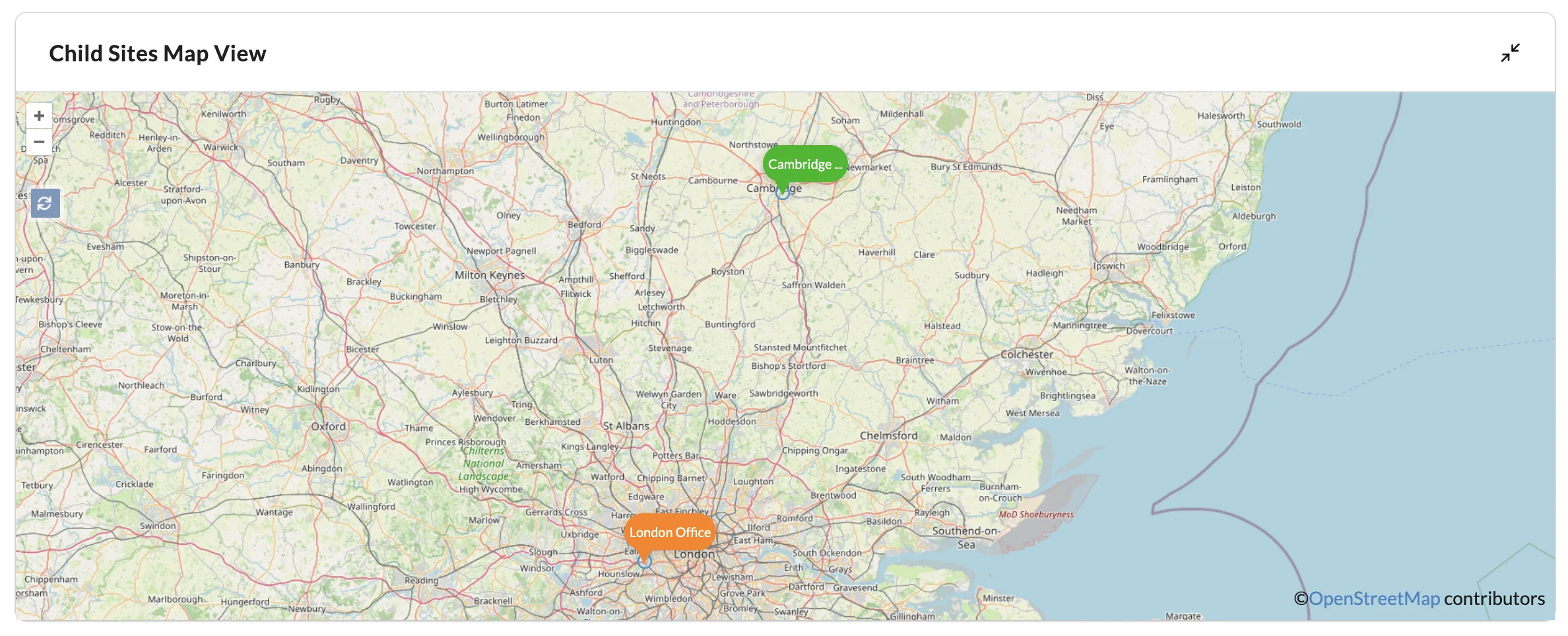
The Sites tab lists the sites linked to this multi-site. Expand the map view
to see them plotted, each at the location set in its own Settings.
A site's label on the map is coloured by the state of the devices inside it.
Colour
What it means
Green
Every device in the site is online
Amber
One or more devices in the site are offline or unassociated
Red
Every device in the site is offline or unassociated
Settings
Set a location for the multi-site. Anything scheduled in the multi-site uses it.
Note
Scheduling created in a multi-site runs to the multi-site's own local time, not the local
time of the site it acts on. A multi-site spanning several time zones fires everywhere at
once, not at each site's own clock.
Site links
Sites are linked to the multi-site from this tab.
Select Add new link... to link a site. You need the Owner
permission in both the multi-site and the site you are linking.
The same permissions let you unlink a site: choose Options on its row and
then Unlink, and confirm in the Unlink from Multi-site
dialog that opens.
Creating or deleting a link emails every Owner of the child site, so the
people responsible for a site always know it is being driven from above.
Tasks
The Tasks, Scheduling and
Control Panel tabs of a multi-site can use tasks belonging to the
multi-site itself and to any of its child sites.
Check the filtering on those tabs when you are editing a behaviour, or you may be looking at
only some of the tasks available to it. Editing an action that runs on a child site needs
permission to edit it in that child site; firing a task from the multi-site does not need
execute permission in the child sites it reaches.
Every site with a linked multi-site gains a task action that enables or disables actions
being fired from a multi-site. Disabled, the child site ignores anything the selected
multi-site fires at it — which is how a site owner keeps local control of something a central
team would otherwise override. Only a user who belongs to both the multi-site and the child
site can create that action.